

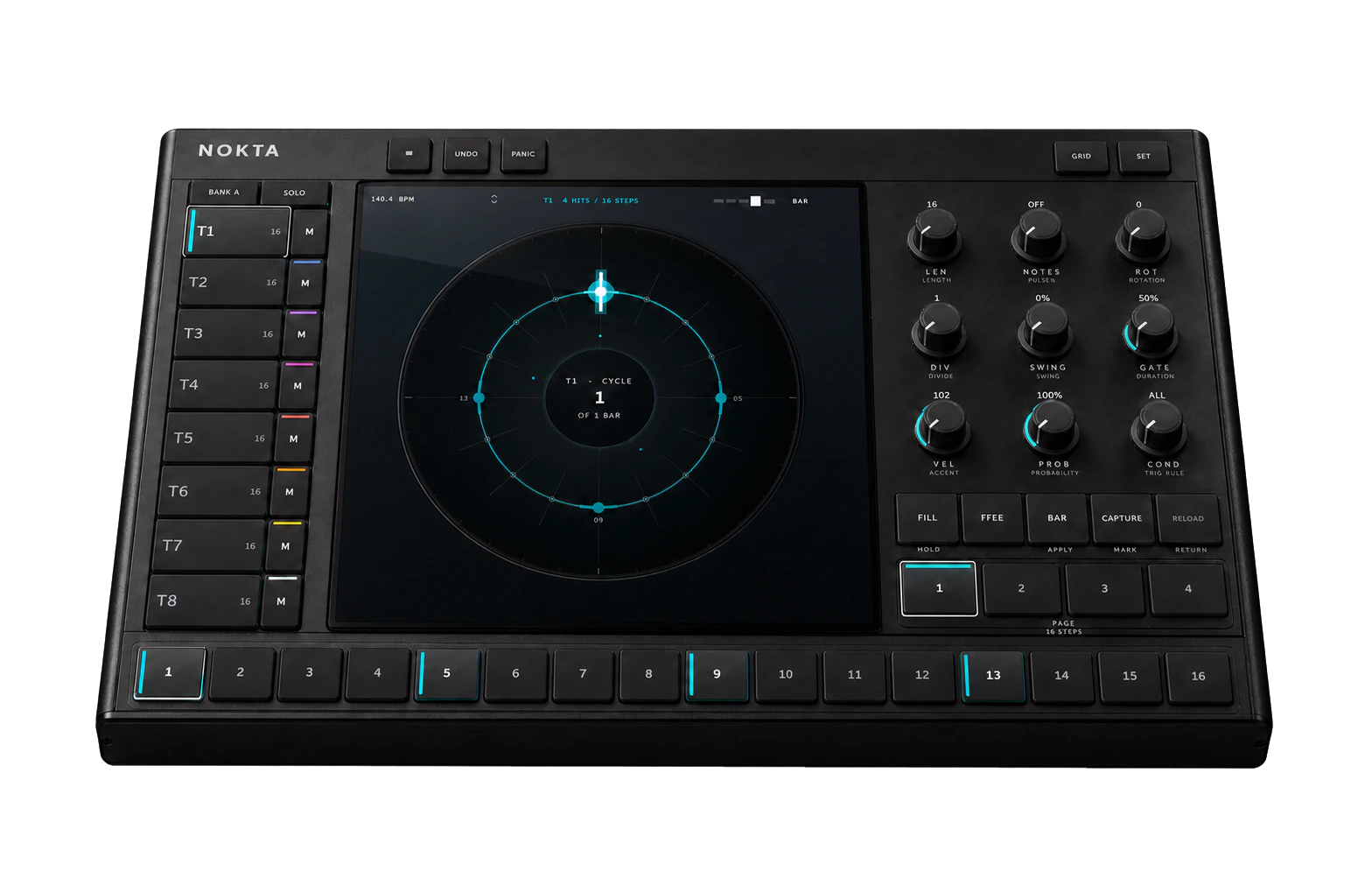
From one trackto a moving system.
A new pattern opens deliberately plain: all sixteen tracks are 16 steps long, and only Track 1 is active. Build the relationship yourself so every change is audible.
- 01Start the host.
Press play in your DAW. In Standalone, use NOKTA’s transport and tempo field.
- 02Listen to T1.
The opening loop is a regular four-on-the-floor reference at 16 steps.
- 03Enable T2.
Use the second rail row or press 2 while Bank A is visible.
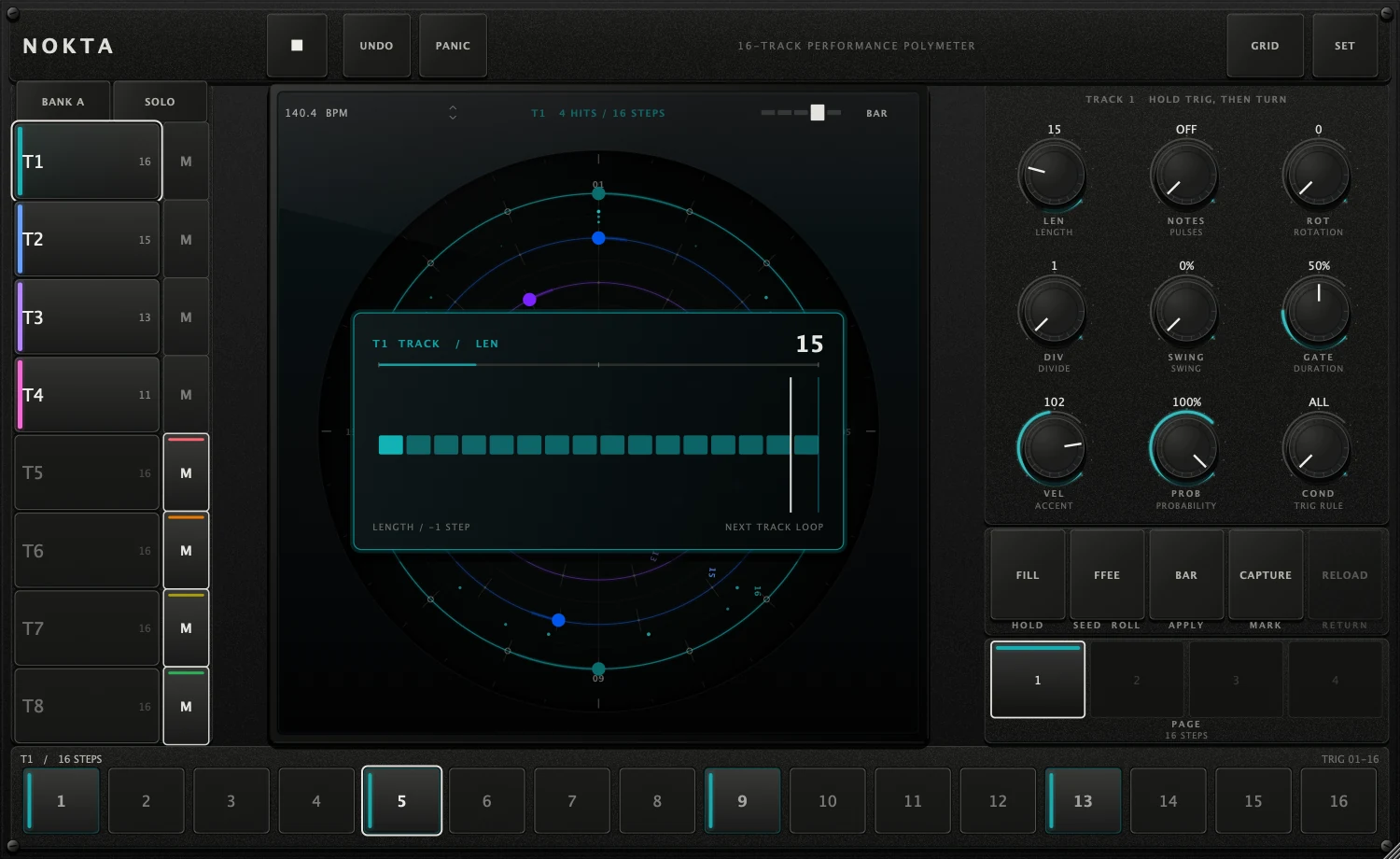
- 04Turn LEN from 16 to 15.
LEN moves in exact one-step detents. The request waits for T2’s next loop.
- 05Shape, then protect.
Edit trigs, press CAPTURE, perform, and use RELOAD to return to the marked pattern.
Change one length first. Add complexity only when you can hear what the previous difference created.
Five zones.One causal path.
 12
34
5
12
34
5
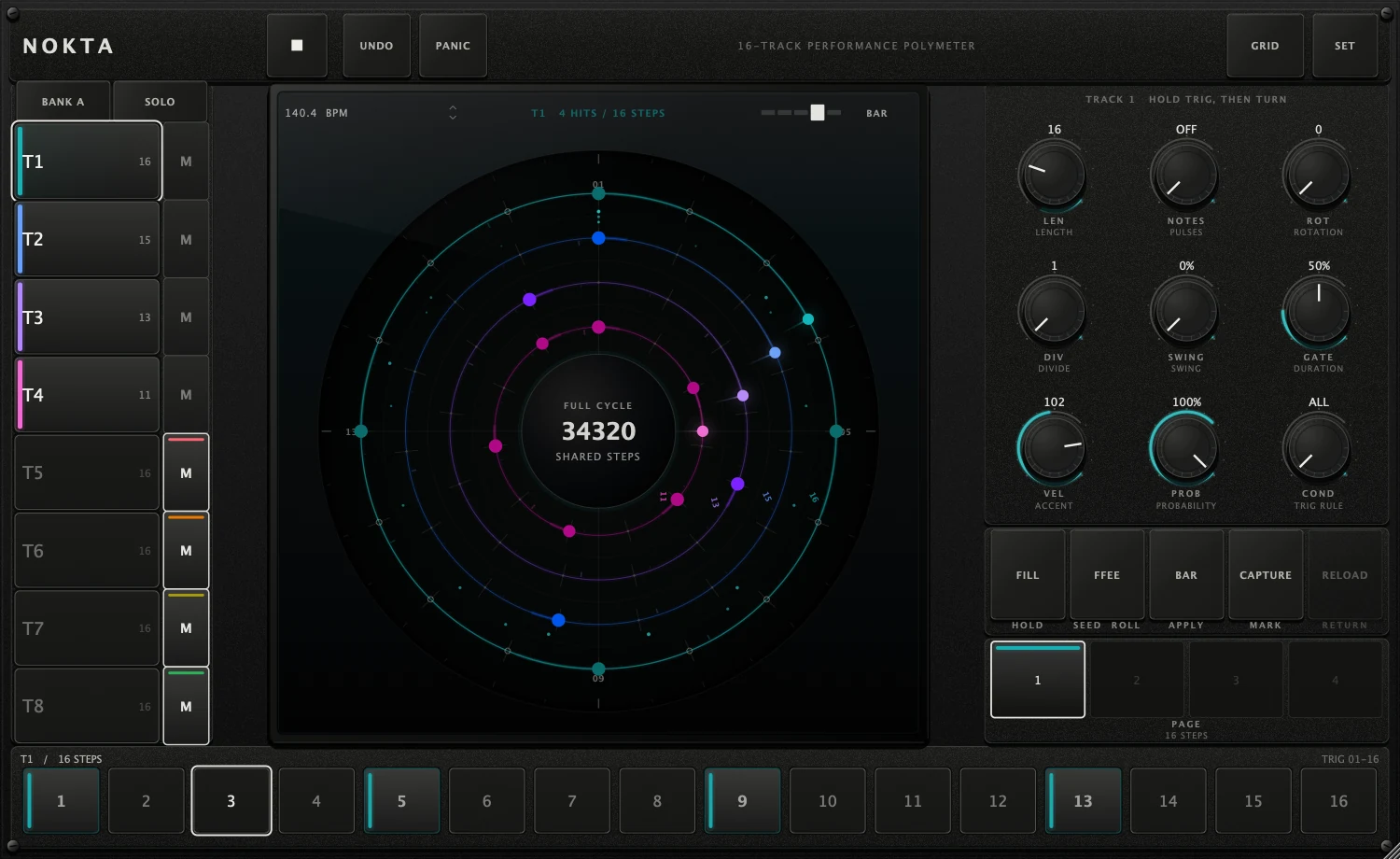
Select, mute or solo the visible bank of eight tracks.
See relationships in Circle or edit detail in Grid.
Nine direct controls follow the selected track or held step.
Fill, seed, apply boundary, capture and reload.
Sixteen physical steps; pages appear for longer tracks.
Same pulse.Different returns.
Polymetry does not require different tempos. Every track advances on the shared clock; its LEN decides when that track returns to step 1.
The downbeats separate by one step per cycle, then meet again after 240 shared steps.
Every integer is valid
Use any value from 1 to 64. Prime and odd lengths are not hidden behind a “musical” ladder.
Changes are boundary-safe
A structural request becomes active at the selected musical boundary, never halfway through the old loop.
Slow a track independently
DIV advances a track once every 1–8 shared steps, creating slower relationships without changing the host clock.
Nine controls.No hidden page.
Turn a knob with no step held to edit the selected track. The screen names the target and shows the value while you move.
Track loop length, in exact ±1 detents. Structural and boundary-applied.
Euclidean pulse count. Off preserves the hand-programmed pattern.
Rotates the generated pattern; the value wraps inside the current length.
Advances the track once every N shared steps.
Delays off-beat positions on this track.
Default note duration for the track.
Default MIDI velocity and accent level.
Default note probability, resolved deterministically from the current seed.
Always, cycle positions, previous-step states, Fill and Not Fill.
See the relationship.Edit the evidence.
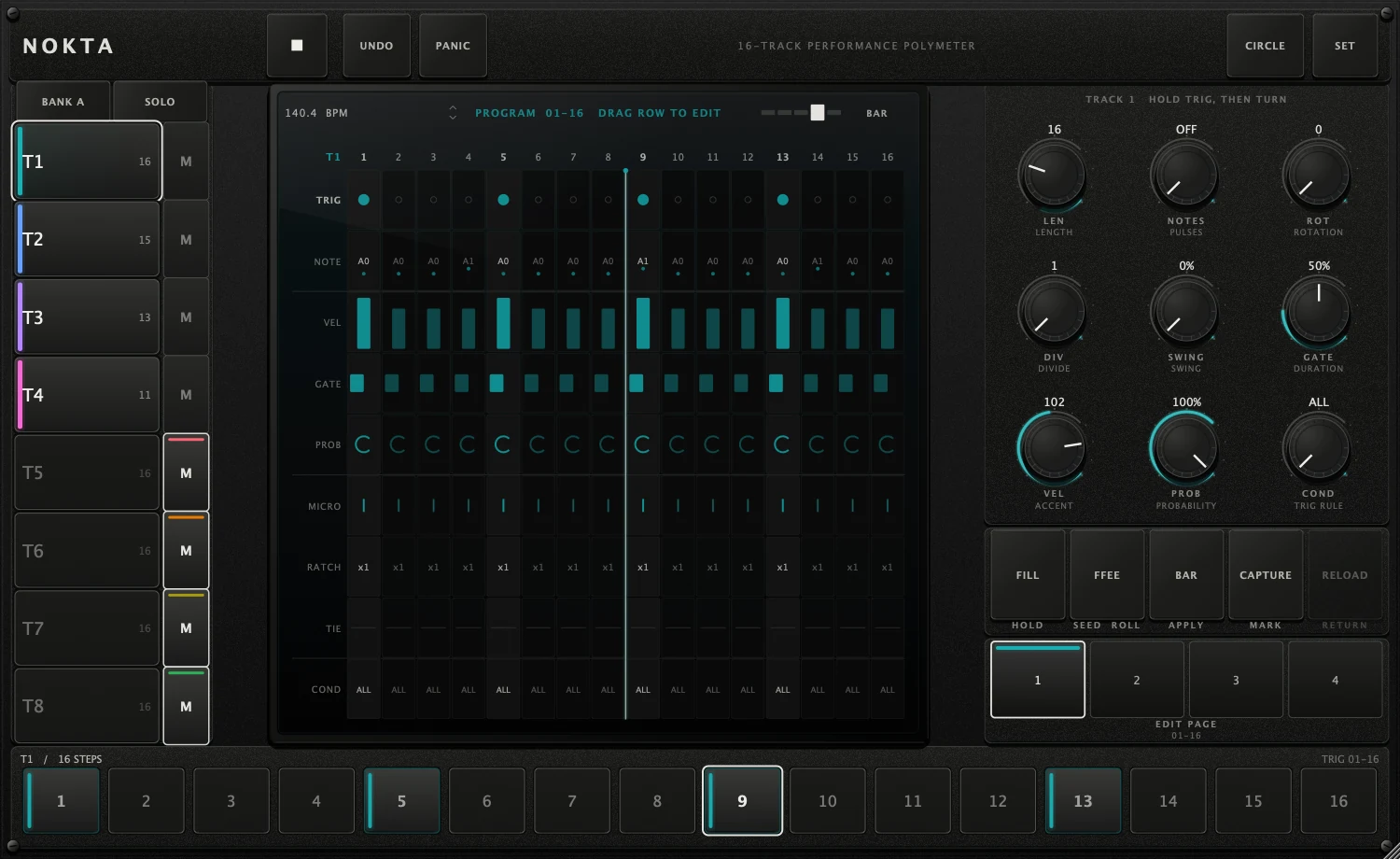
CIRCLE and GRID never copy or translate a pattern. Switching views changes only the representation.
Hold a trig.Turn the same knobs.
A held step temporarily re-targets the controls. Track defaults remain intact; only that step receives the locked value.
Press and hold a trig until the screen names Tn · STEP n.
The animation previews the exact parameter and value being written.
The cluster returns to track scope automatically.
Grid pages and rows
Pages 1–4 address steps 1–64. Clicking beyond the current lane end extends LEN so the edited step becomes part of the sequence.
Make a move.Keep a way back.
Hold for variation
Momentary. Conditions listening for Fill respond only while the key is held.
Re-roll deterministically
Changes probability outcomes. The visible hex seed makes the result recognisable and undoable.
Choose the landing
Cycle through next Step, Beat, Bar or Cycle. PLAY never selects Instant.
Mark this pattern
Stores the current resolved sequence as a performance return point.
Return to the mark
Restores the captured state. The key remains dim until a capture exists.
UNDO is always in the header. PANIC sends the emergency note release path if a receiver keeps sounding.
Route per track.Export the performance.
Per-track routing
SET exposes channel, fixed note, transpose and gate mode for all sixteen tracks at once.
- Use one channel per instrument for independent parts.
- Route several tracks to one channel with different fixed notes for a drum rack.
- Set NOTE to PATTERN when the programmed pitch should pass through.
In Circle view, drag from the cycle hub to the DAW or desktop. Export is capped at 64 bars so very long full cycles remain usable.
MIDI-effect routing depends on the host. Confirm the destination receives NOKTA before relying on a live set.
Configure all sixteen.Perform eight at a time.
SET is global configuration, so Bank A and Bank B remain visible together. The live rail stays banked to preserve large, reliable targets.
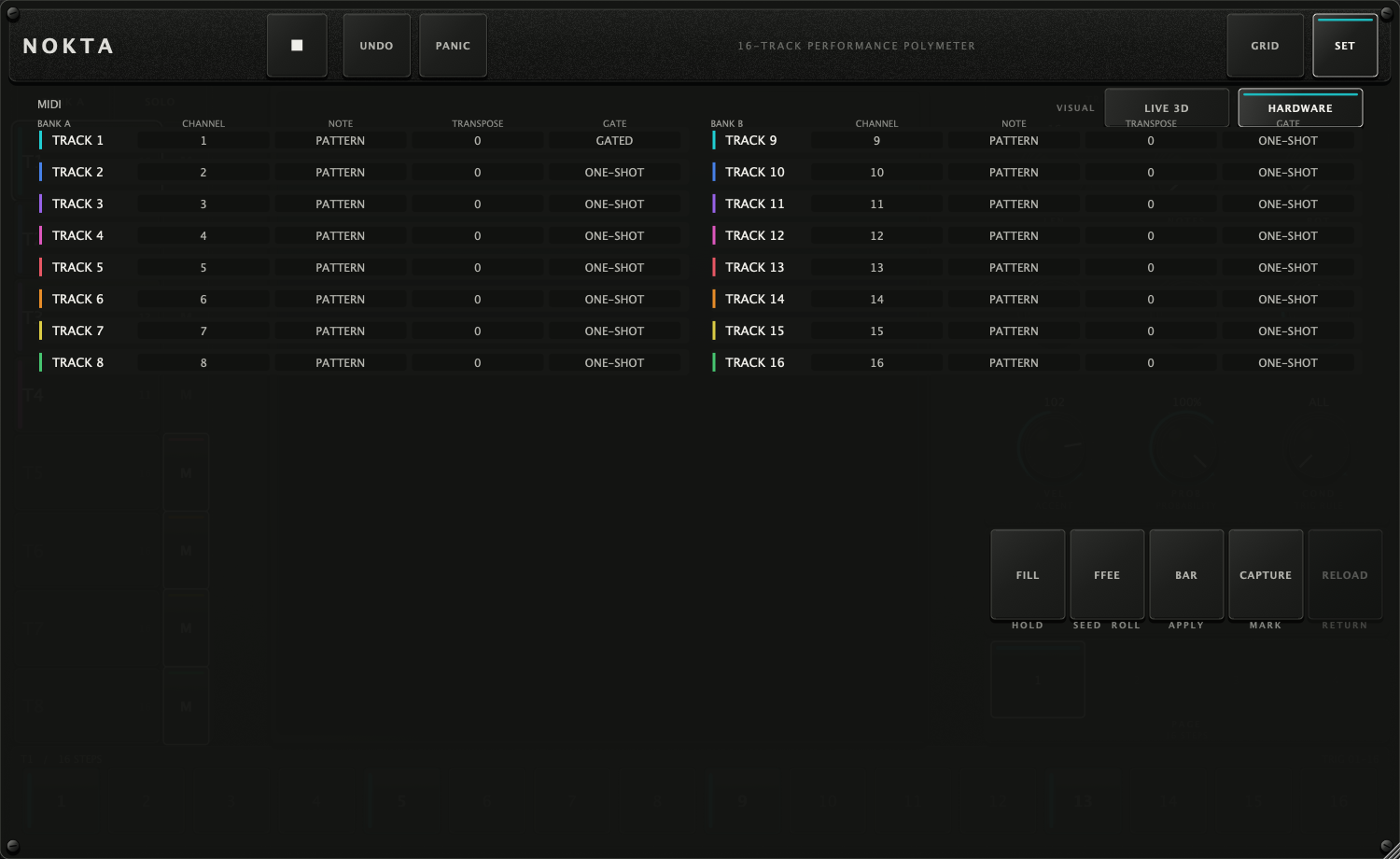
Channel, note source, transpose and gated/one-shot mode.
The same controls, shown beside Bank A instead of hidden behind it.
Switch material presentation without changing the sequence or control layout.
A separate full-instrument visualization. It is not embedded inside the sequencer screen.
Fast routes.No secret modes.
Read the state.Then fix the route.
I see motion but hear nothing.
NOKTA generates MIDI, not audio. Route its MIDI output to an instrument track and confirm that track is armed or monitoring.
LEN shows a new value but the ring has not changed.
The value is pending. Structural edits wait for the selected APPLY boundary; the screen confirms when the new loop lands.
A note keeps sounding.
Press PANIC in the top strip. Then check the receiving instrument and avoid switching routes while tied notes are active.
The knobs are editing one step instead of the track.
Press Esc or click empty panel space. The screen header should return from Tn · STEP n to TRACK n.
I cannot see tracks 9–16.
Press BANK or Tab. SET shows both banks together; the performance rail shows one bank of eight at a time.
RELOAD does nothing.
RELOAD is intentionally inert until CAPTURE has marked a return point.
Capture the state before changing it.
Note the host, plugin format, selected track, visible bank, APPLY boundary and exact gesture. That is enough context to reproduce most sequencing issues.
Return to product page